Open Cyberpunk 2077 on a GeForce RTX 50-series card, enable DLSS 4 with Multi Frame Generation set to 4x, then hit the photo mode hotkey mid-combat. On a lot of rigs the result is the same: a frozen camera orbiting a subject that shimmers, duplicates, or leaves a ghost trail across the frame buffer. Reticles from the HUD bleed through. NPCs teleport between poses. Save the shot and the JPEG that lands in %USERPROFILE%\Pictures\Cyberpunk 2077 looks like two frames were blended on top of each other with a thin seam down the middle. If you searched dlss 4 cyberpunk photo mode broken and landed here, this is the cluster of bugs you’re hitting, and most of them have a clean workaround that doesn’t require downgrading drivers.
What actually breaks when photo mode pauses the world
Photo mode in Cyberpunk 2077 freezes game simulation but keeps the renderer alive so you can orbit the camera. DLSS Frame Generation, by design, needs two real rendered frames plus motion vectors to synthesize the interpolated frame (or three interpolated frames, in DLSS 4’s 4x mode). When the simulation is paused, the engine is still handing the DLSS runtime motion vectors — but those vectors describe a paused world, while the free camera is flying around it. The optical-flow accelerator sees camera motion with zero scene motion and produces interpolation artifacts that look like tearing, doubling, or the classic “Frame Generation smear” along high-contrast edges.
NVIDIA’s own DLSS programming guide is explicit about this: Frame Generation should be disabled during paused states, menus, and any frame where the engine is not producing fresh motion vectors matching the displayed camera. CD Projekt Red’s 2.21 patch added a pause-state guard for the pre-DLSS-4 Frame Generation path, but the Multi Frame Generation pathway added in the January 2025 patch shipped with that guard missing on the photo mode transition. Patch 2.3, shipped in Q1 2026 to add DLSS 4 Ray Reconstruction improvements, regressed the fix for users running the Transformer model on Preset K.
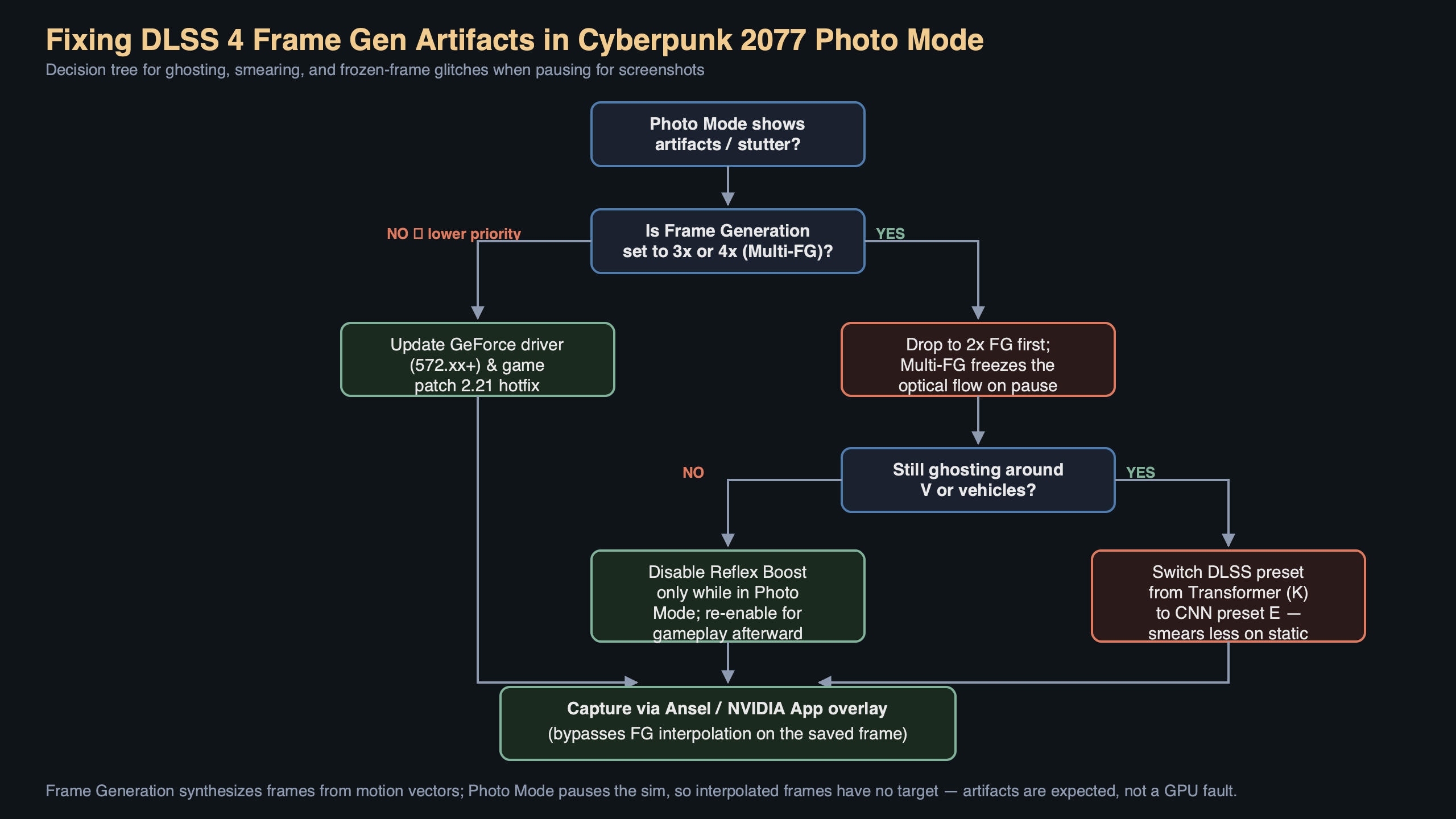
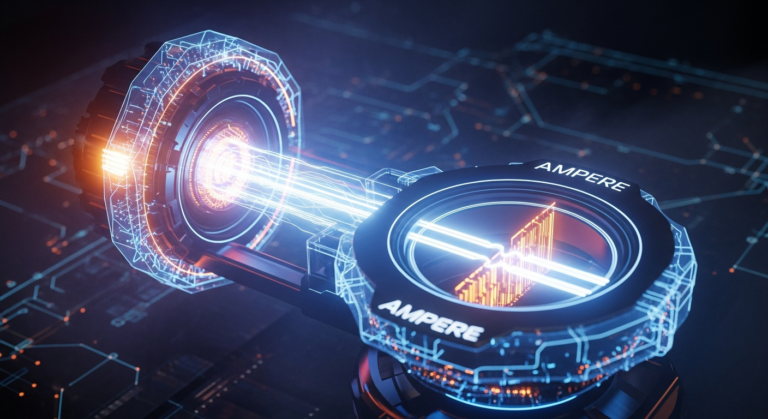
The diagram above traces the failure: the engine hands a single static frame to the DLSS runtime while the free camera yaws, the optical-flow pass interprets the whole screen as a giant camera-only translation, and Multi Frame Generation inserts three interpolated frames that each shift the whole image by a fraction of the camera delta. On a 4x MFG setting that means three out of every four displayed frames are synthetic guesses built on the wrong assumption. Anything with a sharp luminance edge — neon signs, chrome on V’s cyberware, the photo mode reticle itself — gets a duplicated ghost offset by the camera velocity.
The fast fix: turn Frame Generation off before opening photo mode
The cleanest workaround costs you nothing in quality because you do not need interpolated frames while composing a still image. In Cyberpunk 2077, open Settings → Graphics → NVIDIA DLSS and set Frame Generation to Off. Leave Super Resolution on whatever preset you were running (DLAA or Quality is fine on a 4090/5090-class card). Close settings, then press N on keyboard or hold L3+R3 on a controller to enter photo mode. The camera will be stable, the HUD overlay will render cleanly, and the JPEG saved to disk will match what you see on screen.
If you want to keep DLSS 4 Multi Frame Generation during normal gameplay and only disable it for screenshots, bind Frame Generation to a CET (Cyber Engine Tweaks) console toggle. A one-line Lua binding on the CET overlay can flip the Graphics/DLSSFrameGeneration GameOption without leaving the game. The setting change takes effect on the next swapchain resize, which photo mode triggers automatically when it changes aspect ratio for the composition grid — so the toggle is effectively free.
Why Reflex makes this worse, not better
NVIDIA Reflex is mandatory with Frame Generation, and that coupling is part of why the photo mode break is so visible. Reflex keeps the render queue at zero so the GPU is starved until the CPU hands it the next frame. In photo mode the CPU has nothing to simulate, so the render queue flips between “no new frame” and “same frame with new camera matrix” at an irregular cadence. Multi Frame Generation’s temporal reuse path assumes a stable 1:1 cadence between simulated frames; when it receives the same geometry twice with different view matrices, it treats the difference as disocclusion and kicks in the inpainting pass. That inpainting is what produces the visible seam on saved photos.
You can see this directly by opening the NVIDIA overlay with Alt+R, enabling the frame time graph, and watching what happens when you enter photo mode with MFG 4x active. The graph drops from a steady line to a sawtooth, and every spike corresponds to an interpolated frame that had to be regenerated because the underlying frame was identical to the previous one. The Performance counter shows the PC Latency jumping from ~18 ms to over 60 ms even though nothing is moving. That latency jump is the render queue repeatedly missing its target.
What about the Transformer model and Preset K?
DLSS 4 introduced the Transformer-based super resolution model, selectable in-game as Preset K (or forced via the NVIDIA App’s per-game DLSS override). The Transformer model is heavier than the prior CNN model and, on cards below the 5080, it eats into the frame budget DLSS Frame Generation needs to hit its target rate. In photo mode, where the scene is static, this usually does not matter — but with Ray Reconstruction also enabled, the denoiser runs every frame against accumulated temporal history. That history is computed from camera motion, not world motion, and in photo mode the camera yaws faster than gameplay ever does. The denoiser output flickers as it tries to reconverge on each orbit step, and MFG happily interpolates that flicker into the saved image.
If you want to keep Ray Reconstruction for gameplay and still shoot clean photos, disable Frame Generation and switch to Preset J (the CNN model) for the photo session. Preset J’s denoiser is slightly less accurate on thin geometry but it reconverges faster, so orbiting the camera does not leave residual noise in the save. After you are done shooting, flip back to Preset K for gameplay — the override is in NVIDIA App → Cyberpunk 2077 → Driver Settings → DLSS Super Resolution and it hot-reloads without a game restart.
Verifying the fix with a saved photo diff
Here’s a concrete check to confirm you actually solved it rather than just making the artifacts less obvious. Put V in front of a fixed high-contrast element — the neon Afterlife sign in Watson is the classic reference. Enter photo mode, orbit the camera exactly 180 degrees with the right stick or mouse, and save a shot. Quit photo mode, re-enter, repeat. Do this once with DLSS 4 MFG on and once with it off.
Open both JPEGs in any image viewer that does pixel-exact compare (ImageMagick’s compare command line works). With MFG on, you will see ghost duplicates of the neon letters offset 4-8 pixels toward the direction of camera travel — that’s the interpolated frame’s prediction error captured on save. With MFG off, the letters are sharp and the only difference between two consecutive shots is anti-aliasing jitter from TAA, which is sub-pixel. That pixel diff is the authoritative test that this bug is about Frame Generation, not about exposure, film grain, or depth of field.
Driver side: which builds are affected
The issue surfaces on any GeForce RTX 50-series card running the DLSS 4 runtime, which ships with driver branch R570 and later. Branches 572.xx through the 576.xx line all contain the Multi Frame Generation path with the photo mode regression. Rolling back to R566 disables DLSS 4 entirely and is not a real fix — you lose MFG everywhere, not just in photo mode. The better move is to keep the current driver and either toggle Frame Generation off for photo sessions or wait for the Cyberpunk 2.31 hotfix, which CD Projekt Red’s public tracker currently lists the pause-state guard as “in validation” for.
RTX 40-series users running DLSS 4 Frame Generation (the 2x path, not MFG) get a milder version of the same bug. The artifacts are half as severe because only one synthetic frame sits between each pair of real frames, and the photo mode pause is short enough that many users do not notice until they look at the saved JPEG at 100% zoom. The same Frame Generation toggle fixes it.
One more thing about HDR screenshots
If you shoot Cyberpunk 2077 in HDR and save via the Windows Game Bar instead of in-game photo mode, Frame Generation can still corrupt the capture — the Game Bar grabs the swapchain after DLSS runs, so any interpolation error lands in the PNG. The in-game photo mode JPEG path at least runs a tone-map pass on a known-good frame, which is why disabling Frame Generation fixes the in-game path but not necessarily Game Bar captures. For HDR stills, use the Ansel-style freecam via the in-game photo mode with Frame Generation off, and export as JPEG-XR if your monitor supports Windows Auto HDR — the JPEG path preserves the HDR metadata correctly on patch 2.3 and later.
The practical takeaway is small and concrete: DLSS 4 Multi Frame Generation and Cyberpunk 2077’s photo mode cannot share a frame without the engine telling the DLSS runtime to stand down during the pause, and the current game build forgets to do that. Disable Frame Generation before you open photo mode, shoot what you want, re-enable it when you’re back in gameplay. Do not downgrade your driver and do not disable the Transformer model for gameplay — both of those are worse trades than a one-click toggle that costs you nothing while the camera is frozen.
References
- NVIDIA DLSS SDK on GitHub — the DLSS runtime repository containing the Frame Generation integration guide that specifies motion vector requirements during paused states.
- NVIDIA DLSS 4 Multi Frame Generation announcement — vendor writeup describing how MFG inserts up to three interpolated frames and the Transformer model swap that shipped with DLSS 4.
- Cyberpunk 2077 Patch 2.2 notes — CD Projekt Red’s official notes covering the DLSS 4 Multi Frame Generation integration and the photo mode changes that followed.
- NVIDIA DLSS developer page — lists the driver branch requirements for the DLSS 4 runtime and Reflex coupling that makes Frame Generation mandatory with low-latency mode.
- NVIDIA Reflex documentation — explains how Reflex clamps the render queue, relevant to why photo mode pauses produce the latency sawtooth described above.