


Introduction: The Resurgence of a Giant
The landscape of Game Development is in a constant state of flux, driven by the relentless pursuit of visual fidelity, performance optimization, and cross-platform scalability. For over a decade, Unity Technologies has stood as a pillar of the Gaming Industry, powering everything from hyper-casual Mobile Gaming hits to sprawling Indie Games and complex VR Gaming experiences. However, the last year has been pivotal for the engine, marked by significant leadership changes, the controversial—and subsequently revoked—Runtime Fee, and the highly anticipated release of Unity 6.
In the wake of these shifts, the focus has returned to what matters most: the technology. As developers look toward the next generation of PC Gaming and Console Gaming, the demand for tools that can produce marketing-ready, high-fidelity art—similar to the stunning character renders seen in blockbuster AAA franchises—has never been higher. Unity is no longer just the engine for 2D platformers; it is aggressively positioning itself as a powerhouse for high-end graphics, challenging the status quo of Unreal Engine News cycles.
This article provides a comprehensive technical analysis of the current state of Unity. We will explore the architecture of Unity 6, the evolution of the High Definition Render Pipeline (HDRP), the maturation of DOTS (Data-Oriented Technology Stack), and what these advancements mean for creators targeting PlayStation News, Xbox News, and Steam News headlines in the coming years.
Section 1: Unity 6 and the Performance Paradigm
The release of Unity 6 (formerly referred to as the 2023 LTS cycle) represents a stabilization of the ecosystem. After years of fragmented features and “preview” packages, Unity has consolidated its tech stack. The core philosophy of this iteration is performance by default, aiming to utilize modern Gaming Hardware and Graphics Cards to their fullest potential.
The Maturation of DOTS and ECS
For years, the Data-Oriented Technology Stack (DOTS) was the “future” of Unity. In Unity 6, it is the present. Traditional game development relies on Object-Oriented Programming (OOP), which can lead to memory fragmentation and cache misses—bottlenecks that become apparent in CPU-intensive titles like Strategy Games or massive MMORPG News updates.
DOTS utilizes the Entity Component System (ECS), which arranges data linearly in memory. This allows developers to instantiate tens of thousands of entities—such as units in a Battle Royale or debris in a Racing Wheels simulation—without tanking the frame rate. The Burst Compiler and C# Job System work in tandem with ECS to multi-thread code automatically, a necessity for modern multi-core processors found in high-end Gaming PCs and current-gen consoles.
GPU Resident Drawer
One of the most significant rendering updates in Unity 6 is the GPU Resident Drawer. In traditional rendering pipelines, the CPU spends a significant amount of time telling the GPU what to draw every frame. This draw-call overhead is often the limiting factor in complex scenes.
The GPU Resident Drawer moves the burden of instance rendering almost entirely to the GPU. This is particularly vital for open-world RPG Games or environments with dense vegetation and clutter. By uploading instance data to the GPU memory once and only updating transforms, Unity can render over a million instances at 60 FPS on mid-range hardware. This tech is crucial for developers aiming to create the dense, lived-in worlds characteristic of modern AAA Games.
WebGPU and the Future of Browser Gaming
While Cloud Gaming and Game Streaming are growing, browser-based gaming is undergoing a renaissance thanks to WebGPU. Unity 6 includes robust support for this new standard, which replaces the aging WebGL. This allows for compute shaders and advanced graphics features to run natively in a browser, opening new doors for Indie Games to reach players instantly without downloads, potentially disrupting the dominance of app stores.
Section 2: Chasing Photorealism with HDRP
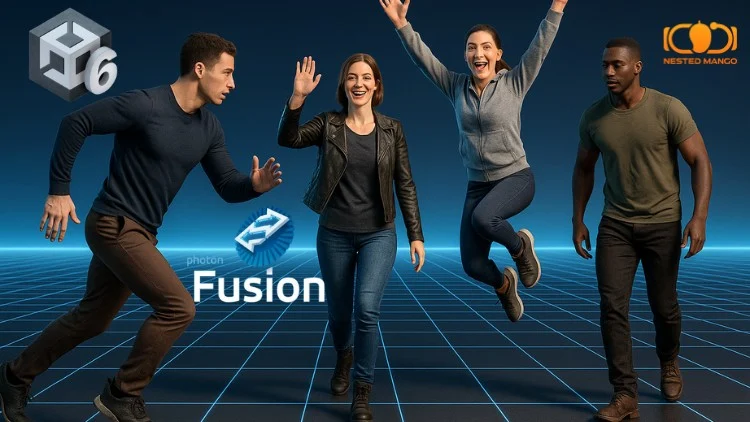
When discussing Gaming Culture, visuals often dictate the first impression. The ability to create marketing materials that rival concept art—featuring realistic skin shading, intricate cloth simulation, and volumetric lighting—is essential. This is where Unity’s High Definition Render Pipeline (HDRP) steps into the spotlight.
Advanced Material Shaders and Character Rendering
To achieve the level of detail seen in top-tier Action-Adventure titles, Unity has overhauled its shader graph and material systems. The Eye Shader and Skin Shader in HDRP utilize Subsurface Scattering (SSS) to simulate how light penetrates translucent surfaces. This is critical for avoiding the “uncanny valley” in character close-ups.
Furthermore, the new Hair System allows for strand-based rendering and simulation. Unlike legacy “card-based” hair, which often looks blocky and behaves poorly with physics, the new system simulates individual strands, reacting to wind and movement. For developers creating narrative-driven games where emotional acting is key, these tools are indispensable.
Lighting and Global Illumination
Lighting is the glue that holds a scene together. Unity’s Adaptive Probe Volumes (APV) provide a scalable solution for Global Illumination (GI). Unlike traditional lightmaps, which require long bake times and high memory usage, APVs allow for dynamic lighting scenarios—essential for games with day-night cycles, such as open-world FPS Games or survival titles like Minecraft News-style sandbox games (albeit with higher fidelity).
Additionally, Unity has integrated support for hardware-accelerated Ray Tracing. This includes Ray Traced Reflections (RTR), Global Illumination (RTGI), and Shadows. When combined with upscaling technologies like DLSS (Deep Learning Super Sampling) and FSR (FidelityFX Super Resolution), developers can deliver 4K visuals on modern Gaming Monitors without sacrificing playability.
The VFX Graph
Visual effects are often what separate a good game from a great one. The VFX Graph allows technical artists to simulate millions of particles on the GPU. Whether it’s the magical abilities in League of Legends News or the gritty explosions in Call of Duty News, the VFX Graph provides a node-based interface to create complex behaviors without writing code. Recent updates have added support for six-way lighting on particles, giving smoke and dust a volumetric, tangible appearance.
Section 3: Implications for the Industry and Ecosystem
Unity’s technical strides do not exist in a vacuum. They ripple through the entire Gaming Industry, influencing hardware manufacturers, platform holders, and the Gaming Community at large.
Unity vs. Unreal: The Battle for High-End
Historically, the narrative has been: “Unity for Mobile/2D, Unreal for AAA/3D.” That line is blurring. While Unreal Engine 5’s Nanite and Lumen technologies grabbed headlines, Unity’s ECS and HDRP offer a different kind of power: flexibility. Unity remains the dominant engine for Mobile Gaming, which accounts for over half of the global gaming revenue. By scaling HDRP down or URP (Universal Render Pipeline) up, Unity offers a “build once, deploy everywhere” pipeline that is arguably more robust for teams targeting everything from the Nintendo Switch to the RTX 4090.
AI Integration: Unity Muse and Sentis
Artificial Intelligence is the current frontier. Unity has introduced Unity Muse (an AI assistant for creation) and Unity Sentis (a runtime inference engine). Sentis allows developers to embed neural networks directly into their games. Imagine NPCs in RPG Games powered by Large Language Models (LLMs) running locally on the player’s device, or anti-cheat systems in Valorant News-style shooters that adapt to new hacking methods in real-time. This moves AI from a development tool to a gameplay mechanic.
XR and Spatial Computing
With the rise of VR Gaming and AR Gaming, particularly with devices like the Apple Vision Pro and Meta Quest 3, Unity has positioned itself as the premier OS for spatial computing. The PolySpatial technology allows Unity apps to run alongside other apps in a shared space, a critical feature for the future of mixed reality. This is vital for non-gaming sectors as well, but for gamers, it promises immersive experiences that transcend traditional Gaming Headsets.
Section 4: Best Practices and Developer Recommendations
For studios and solo developers navigating this new era of Unity, understanding the technical nuances is key to success. Here are actionable insights for leveraging the current tech stack.
Choosing the Right Pipeline
- Universal Render Pipeline (URP): Use this for Mobile Gaming, Nintendo News (Switch development), and stylised Indie Games. It is highly optimized and now supports many features previously exclusive to HDRP, such as Decals and Screen Space Ambient Occlusion (SSAO).
- High Definition Render Pipeline (HDRP): Use this strictly for high-end PC Gaming, PlayStation 5, and Xbox Series X projects. It requires a higher baseline of Gaming Tech knowledge regarding physical light units and exposure values. It is the go-to for photorealism.
Optimization is Not an Afterthought
With the power of Unity 6 comes the responsibility of optimization. Developers should utilize the Memory Profiler package early in development. For Multiplayer titles, such as Apex Legends News competitors or Counter-Strike News inspired tactical shooters, network optimization is critical. Unity’s new “Netcode for GameObjects” and “Netcode for Entities” provide robust solutions, but they require a distinct architectural approach compared to legacy networking.

Input System and Peripherals
Modern games must support a wide array of inputs. The new Input System package abstracts the hardware layer. Whether a player is using Game Controllers, Gaming Keyboards, Gaming Mice, or specialized gear like Flight Sticks for simulators, the Input System handles mapping seamlessly. This is crucial for accessibility and for ensuring your game feels responsive on any setup.
Case Study: The “Vertical Slice”
When pitching a game today, the “Vertical Slice” (a polished portion of the game) must look final. Developers should leverage the Unity Asset Store for environment art but invest heavily in custom shaders and lighting setups to establish a unique visual identity. Using tools like Cinemachine for dynamic camera work can make a gameplay prototype feel like a cinematic trailer, capturing the essence of high-budget productions.
Conclusion
The narrative surrounding Unity has shifted from corporate turbulence back to technical innovation. With Unity 6, the engine has finally bridged the gap between accessible development and high-performance computing. The maturation of DOTS and the visual capabilities of HDRP allow developers to create worlds that are not only vast and performant but also visually arresting.
For the Gaming Community, this means a future where the line between “Indie” and “AAA” continues to dissolve. Small teams can now leverage the GPU Resident Drawer and AI-assisted workflows to produce content that rivals the output of massive studios. Whether you are a fan of Retro Gaming pixel art or cutting-edge Esports News titles, the technology powering these experiences is becoming more powerful and more unified.
As we move through 2025, Unity’s commitment to stabilizing its features while pushing the boundaries of rendering tech suggests that the engine will remain a cornerstone of the industry. For developers, the tools are there; the challenge now is to use them to craft the next generation of iconic gaming experiences.